
How I Design Azure Architectures (My Thought Process)
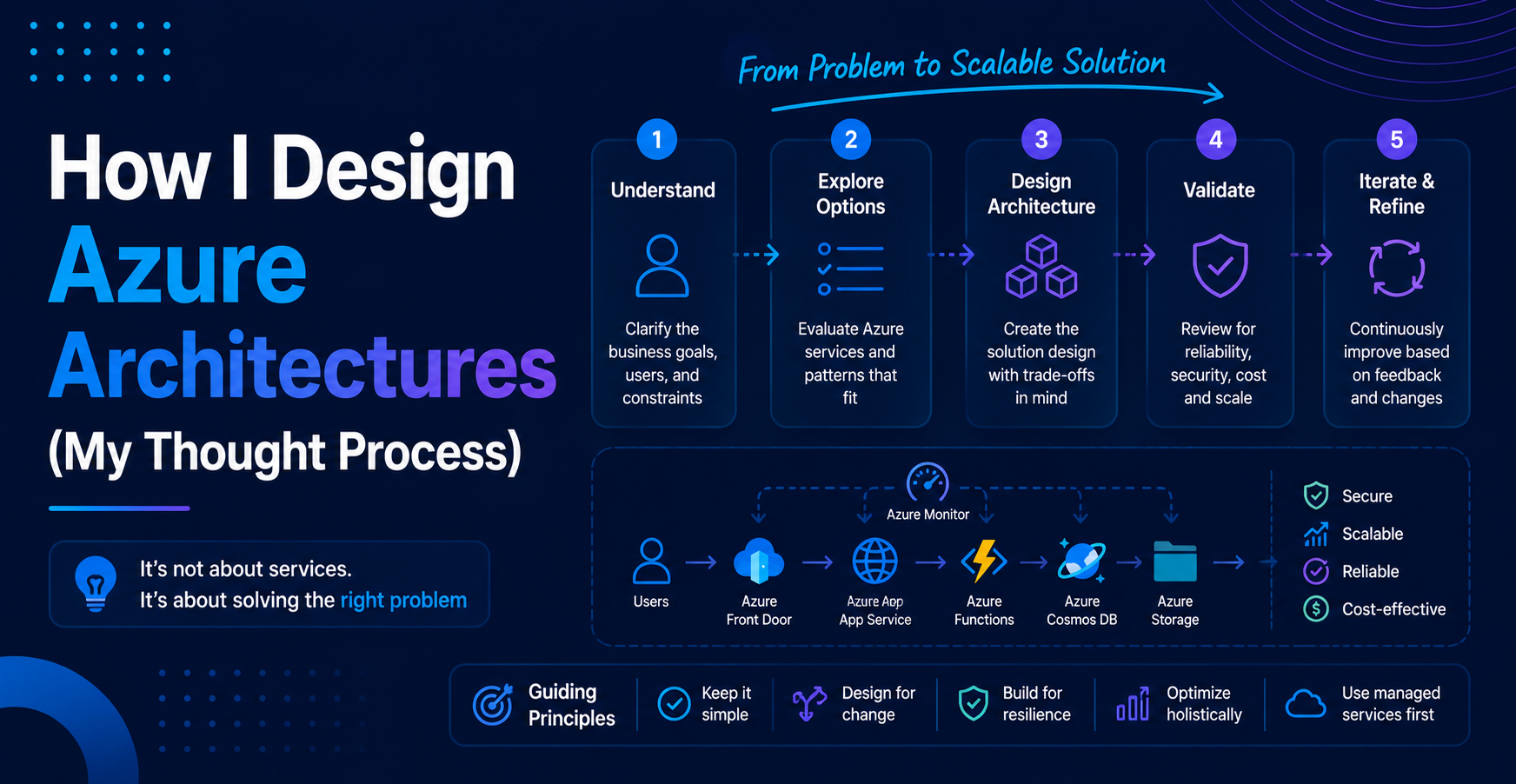
When people start working with Azure, one of the biggest questions is:
“What services should I use?”
But in reality, that’s the wrong question.
The better question is:
“How do I think about designing a system?”
In this blog, I’ll walk through how I approach designing Azure architectures. This is not about memorizing services. It’s about understanding the thought process behind choosing them.
Start With the Problem, Not the Service
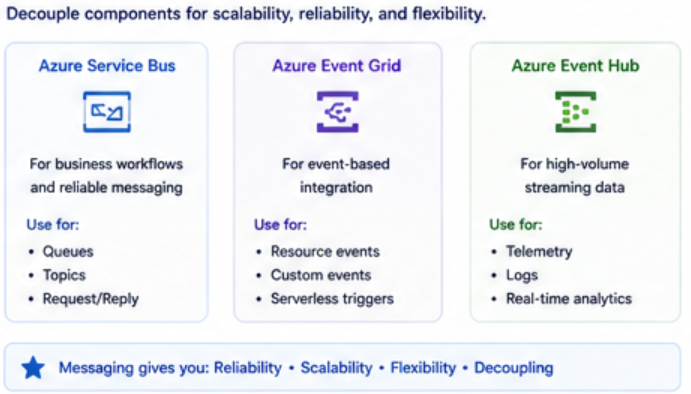
The biggest mistake I see is starting with:
“I want to use Azure Service Bus”
“I want to use Cosmos DB”
“I want to use AI”
Instead, I start with:
- What problem am I solving?
- What does the system need to do?
- What are the constraints?
Only after that do I think about services.
Step 1: Understand the Flow
Before picking anything, I map out the flow.
Ask:
- Where does the data come from?
- Where does it go?
- What happens in between?
At a high level, most systems look like this:
Input → Processing → Output
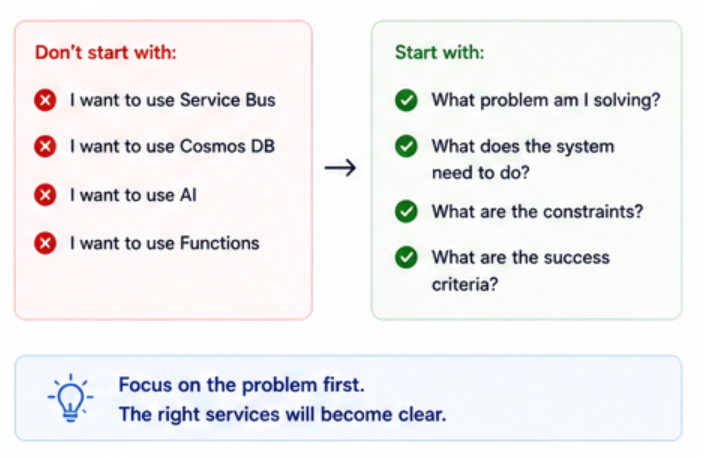
Once I understand the flow, everything else becomes easier.
Step 2: Decide If It Should Be Synchronous or Asynchronous
This is one of the most important decisions.
Synchronous
- Immediate response needed
- User is waiting
- Usually HTTP-based
Example:
- Login request
- API calls
Asynchronous
- Can happen in the background
- Doesn’t need immediate response
- More scalable
Example:
- Order processing
- Notifications
- AI workflows
If it’s asynchronous, I almost always introduce messaging.
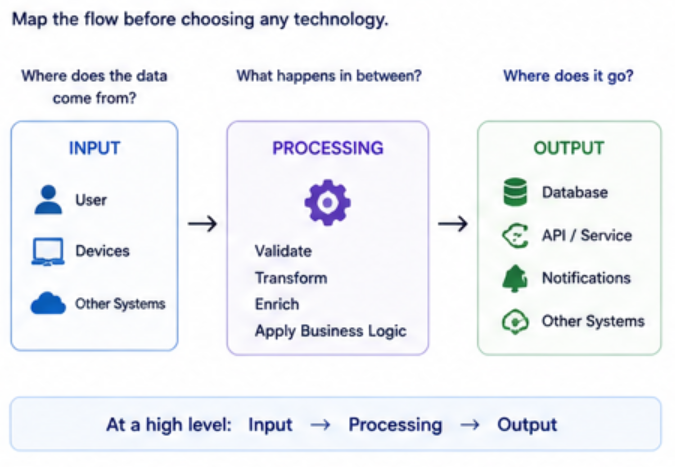
Step 3: Introduce Messaging When Needed
If the system needs to be scalable and reliable, I decouple it.
That’s where messaging comes in.
Depending on the scenario:
- Service Bus → business workflows
- Event Grid → event-based triggers
- Event Hub → high-volume streaming
Messaging gives you:
- Reliability
- Scalability
- Flexibility
Step 4: Decide Where AI Fits (If At All)
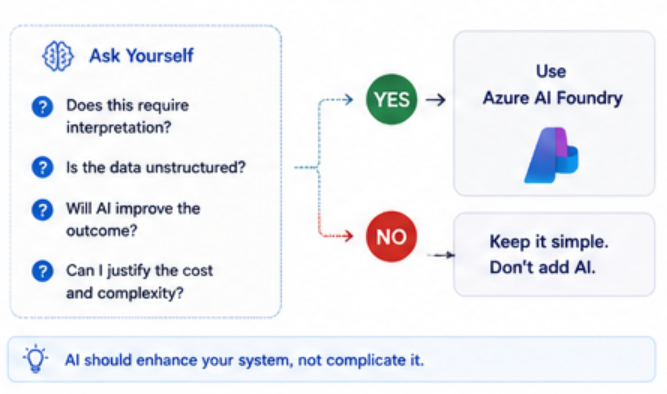
AI is powerful, but I don’t force it into every system.
I ask:
- Does this require interpretation?
- Is the data unstructured?
- Will AI improve the outcome?
If yes, I introduce Azure AI Foundry.
If not, I keep it simple.
AI should enhance your system, not complicate it.
Step 5: Choose the Right Compute
Now I decide how things run.
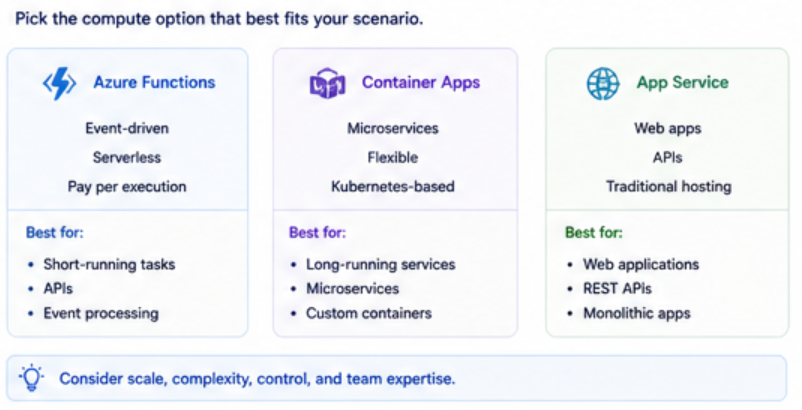
Options usually include:
- Azure Functions → event-driven, serverless
- Container Apps → microservices, flexible
- App Service → traditional web apps
This depends on:
- Scale
- Complexity
- Control needed
There’s no single right answer.
Step 6: Think About Data
Data is at the center of everything.
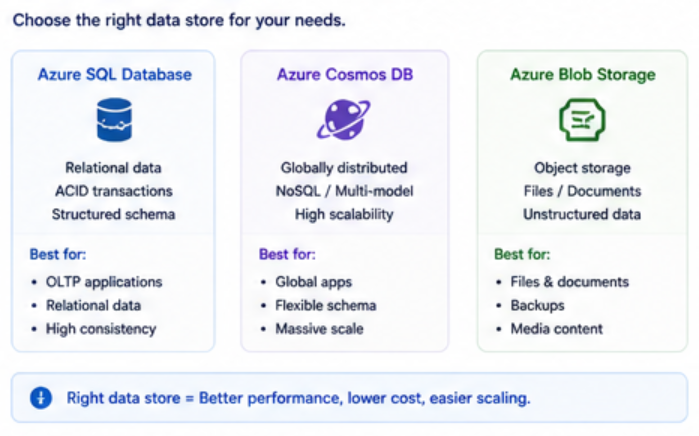
I ask:
- Is it structured or unstructured?
- Do I need high scalability?
- Do I need global distribution?
Examples:
- SQL → relational data
- Cosmos DB → flexible, scalable
- Blob Storage → files and documents
Step 7: Plan for Failure
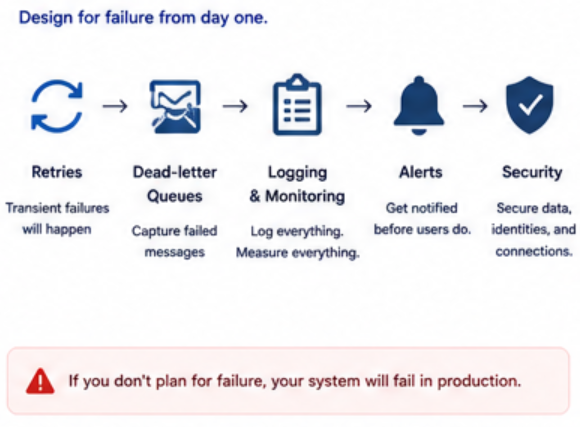
This is where architecture becomes real.
Things will fail.
So I design for:
- Retries
- Dead-letter queues
- Logging and monitoring
- Alerts
If you don’t plan for failure, your system will break in production.
Step 8: Keep It Simple First
One of the most important things I’ve learned:
Don’t overengineer.
Start with:
- The simplest working solution
Then:
- Add complexity only when needed
A lot of systems fail because they try to do too much too early.
Putting It All Together
Here’s how it usually flows for me:
- Understand the problem
- Map the flow
- Decide sync vs async
- Introduce messaging if needed
- Add AI where it makes sense
- Choose compute and data
- Plan for failure
- Keep it simple
Key Takeaways
- Don’t start with services, start with the problem
- Flow matters more than tools
- Messaging is key for scalability
- AI should be intentional
- Simplicity beats complexity
Final Thoughts
Designing Azure architectures is not about knowing every service.
It’s about knowing how to think.
Once you understand the thought process, the services become easy to choose.
And that’s when you start building systems that actually scale.