
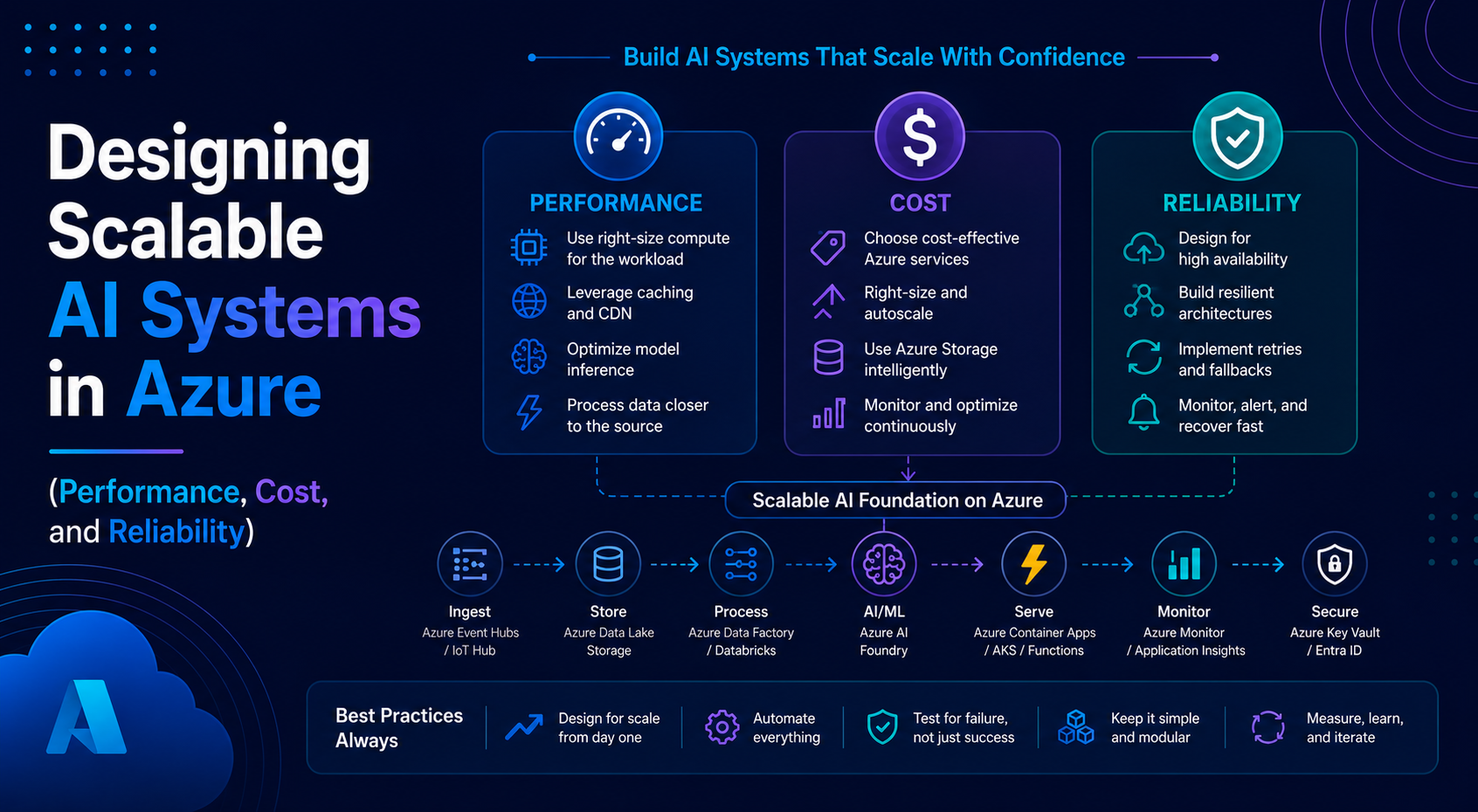
Designing Scalable AI Systems in Azure (Performance, Cost, and Reliability)
Over the past few blogs, we’ve covered a lot.
- Azure Front Door
- Messaging patterns
- AI workflows
- Azure Functions vs Container Apps
- Real-world architectures
Now let’s talk about something that actually matters in production:
How do you design AI systems that scale?
Because building something that works is one thing.
Building something that continues to work under load, cost pressure, and failure conditions is a completely different challenge.
In this blog, I’ll walk through how I think about designing scalable AI systems in Azure.
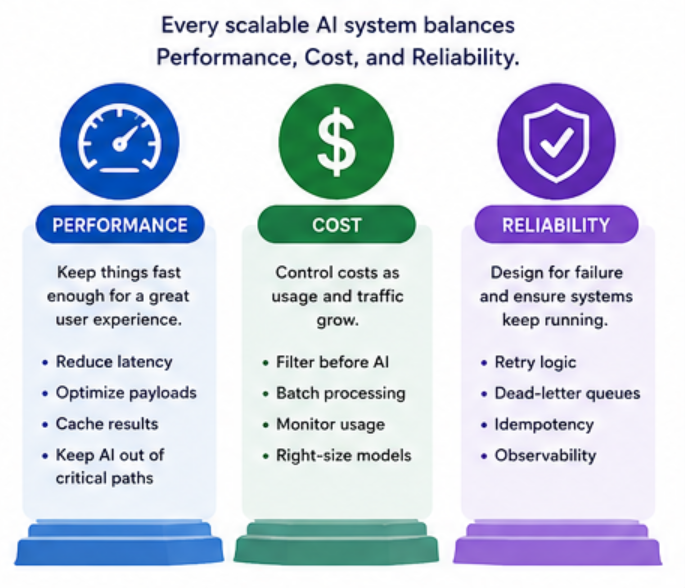
The 3 Things That Actually Matter
When designing AI systems, I always focus on three things:
- Performance
- Cost
- Reliability
Everything else is secondary.
1. Performance: Keeping Things Fast Enough
AI adds latency. That’s just the reality.
So the goal is not to make it instant, but to make it acceptable.
Where Latency Comes From
- Network calls to AI services
- Large payloads (documents, prompts)
- Multiple AI steps in a workflow
How I Improve Performance
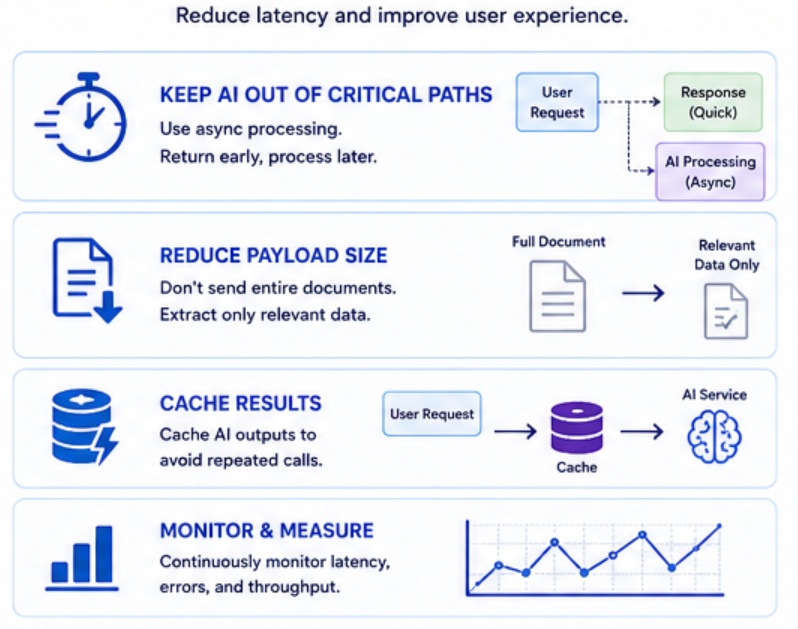
Keep AI Out of Critical Paths
If the user is waiting, think twice before adding AI.
Instead:
- Use async processing
- Return early, process later
Reduce Payload Size
- Don’t send entire documents if you don’t need to
- Extract only relevant data
Cache Results
If the same request happens often:
- Cache AI outputs
- Avoid repeated calls
2. Cost: The Hidden Problem
AI systems can get expensive very quickly.
Especially when:
- Traffic increases
- Prompts get larger
- Workflows become more complex
Where Costs Come From
- Token usage (LLMs)
- Number of API calls
- Message processing volume
How I Control Cost
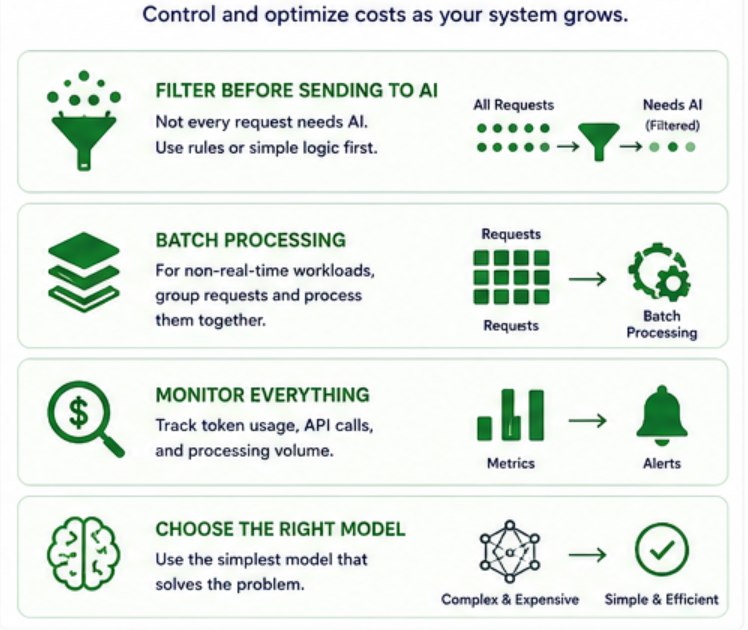
Filter Before Sending to AI
Not every request needs AI.
Example:
- If it’s a simple case → handle with rules
- If it’s complex → send to AI
Batch Processing
For non-real-time workloads:
- Group requests
- Process them together
Monitor Everything
- Track usage
- Set alerts
- Understand where cost spikes happen
3. Reliability: Designing for Failure
This is the one people underestimate the most.
Things will fail:
- AI calls timeout
- Messages fail to process
- Services become unavailable
If you don’t design for this, your system will break.
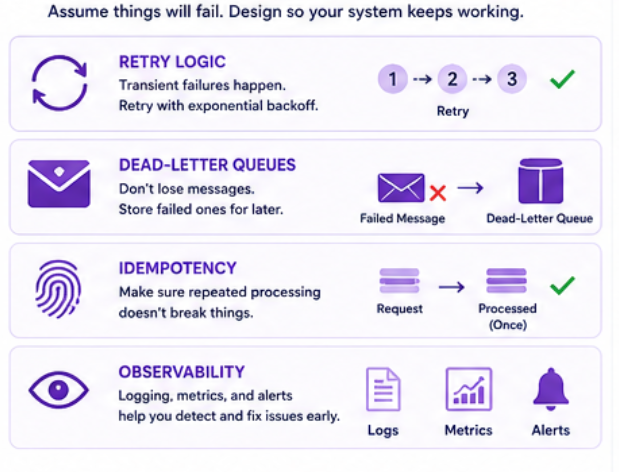
What I Always Add
Retry Logic
- Transient failures happen
- Retry before failing
Dead-Letter Queues
- Don’t lose messages
- Store failed ones for later
Idempotency
- Make sure repeated processing doesn’t break things
Observability
- Logging
- Metrics
- Alerts
Bringing It All Together
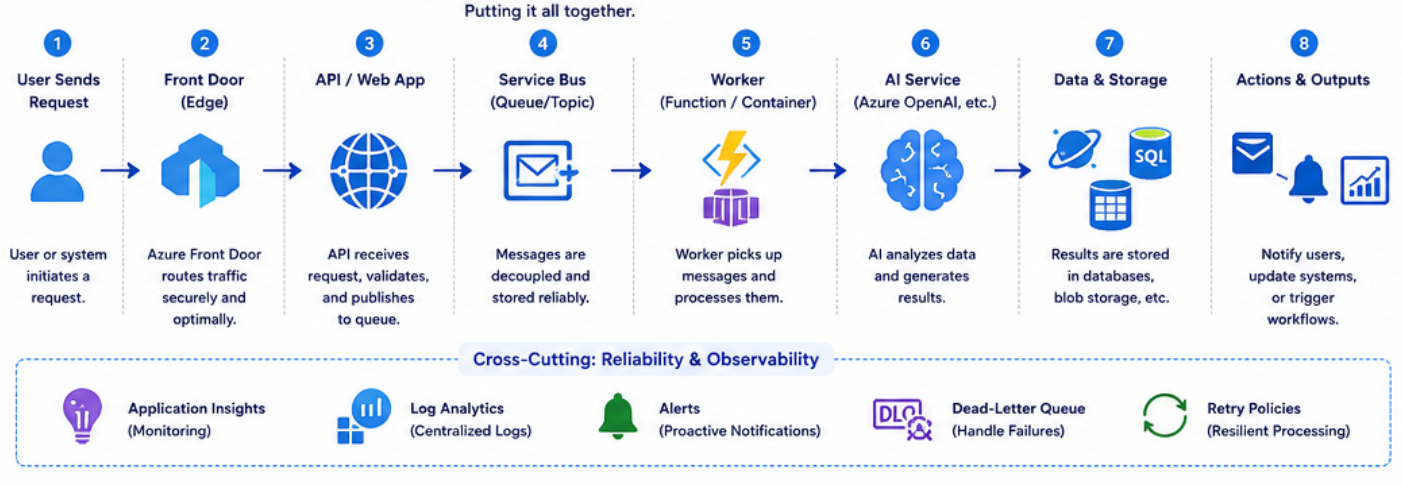
Let’s combine everything into a scalable architecture.
Flow:
- User sends request
- Front Door routes traffic
- API receives request
- Message goes to Service Bus
- Worker (Function or Container App) processes it
- AI analyzes data
- Results are stored and acted upon
- Failures are handled gracefully
Real-World Tradeoffs
Every system is a balance.
- Faster performance → higher cost
- Lower cost → more latency
- Higher reliability → more complexity
There’s no perfect architecture.
Only the one that fits your needs.
Common Mistakes
1. Putting AI Everywhere
AI is powerful, but not everything needs it.
2. Ignoring Cost Until It’s Too Late
Costs don’t show up immediately.
They show up at scale.
3. Not Designing for Failure
If you assume everything will work, it won’t.
4. Overengineering Too Early
Start simple. Scale when needed.
Key Takeaways
- Think in terms of performance, cost, and reliability
- Use messaging to scale and decouple
- Introduce AI intentionally
- Design for failure from day one
- Keep your architecture simple
Final Thoughts
Designing scalable AI systems is not about using the most advanced services.
It’s about making smart decisions.
The best systems are not the ones that look impressive.
They’re the ones that continue to work when everything gets harder:
- More users
- More data
- More complexity
And if you get these fundamentals right, everything else becomes easier.