
Common Azure AI Patterns I Actually Use in Real Projects
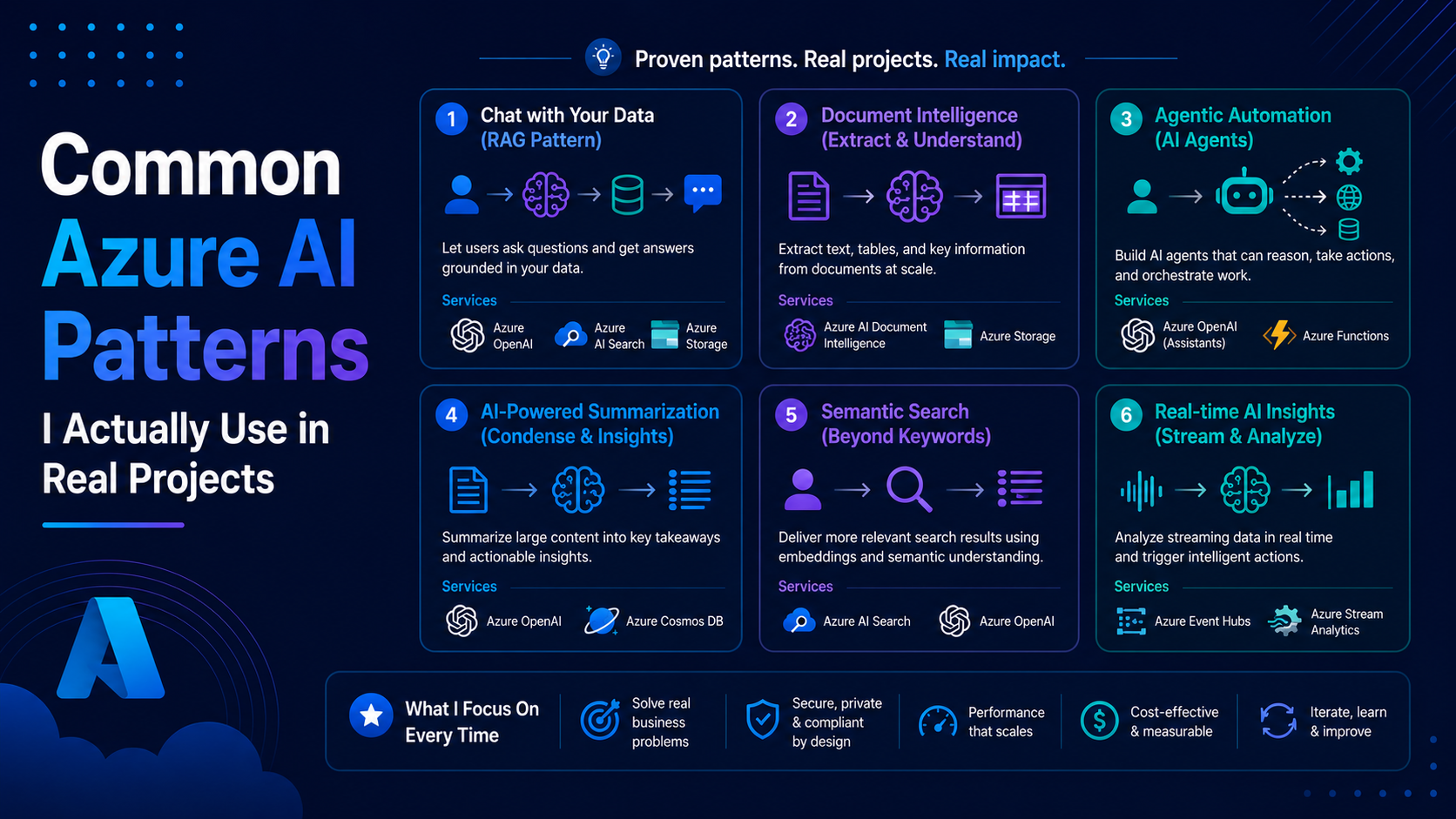
AI is powerful, but most of the value doesn’t come from the models themselves.
It comes from how you use them.
Over time, I’ve noticed that most AI-powered systems in Azure follow a few common patterns. Once you understand these patterns, designing AI systems becomes much easier.
In this blog, I’ll walk through the patterns I actually use in real projects. Nothing theoretical, just practical approaches that work.
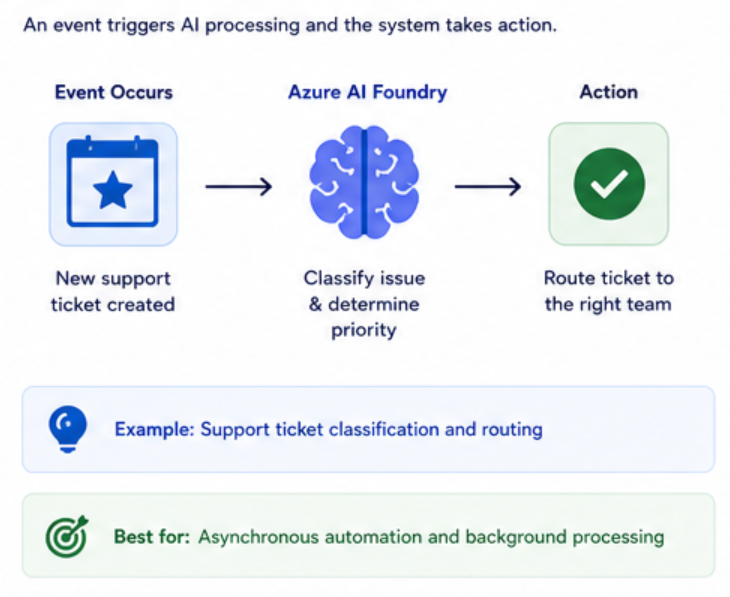
Pattern 1: Event → AI → Action
This is the most common pattern.
Flow:
- An event happens
- AI processes the data
- The system takes action
Example:
- User submits a support ticket
- AI classifies the issue
- System routes it automatically
This works well because:
- It’s asynchronous
- It scales easily
- It removes manual work
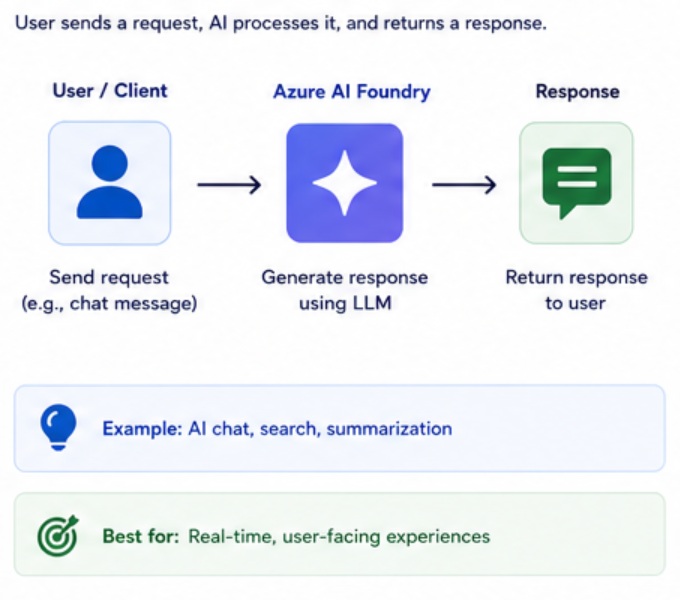
Pattern 2: API → AI → Response
This is the simplest way to use AI.
Flow:
- User sends a request
- API calls AI
- AI returns a response
Example:
- Chat applications
- AI-powered search
- Text summarization
This pattern is:
- Easy to implement
- Great for user-facing features
But be careful:
- It introduces latency
- It can get expensive at scale
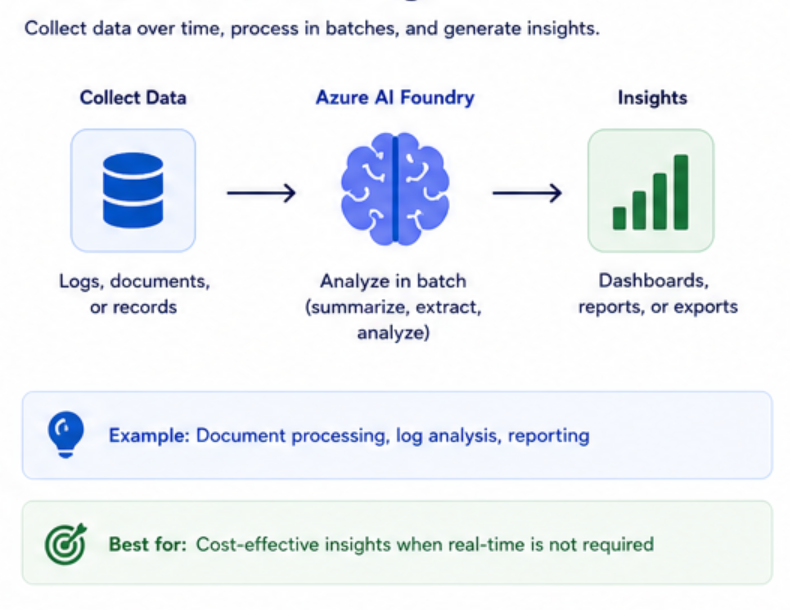
Pattern 3: Batch → AI → Insights
Not everything needs to be real-time.
Sometimes it’s better to process data in batches.
Flow:
- Data is collected over time
- AI processes it periodically
- Insights are generated
Example:
- Analyzing logs
- Processing documents
- Generating reports
This is useful when:
- Real-time is not required
- You want to control costs
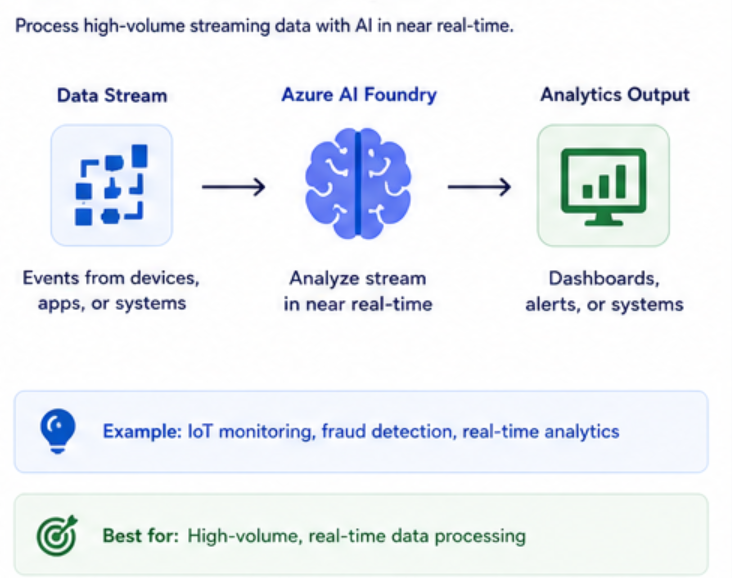
Pattern 4: Stream → AI → Analytics
For high-volume systems, streaming is the way to go.
Flow:
- Data streams through Event Hub
- AI processes data in near real-time
- Results feed dashboards or systems
Example:
- IoT systems
- Monitoring platforms
- Real-time analytics
This pattern is powerful, but:
- More complex to build
- Requires careful scaling
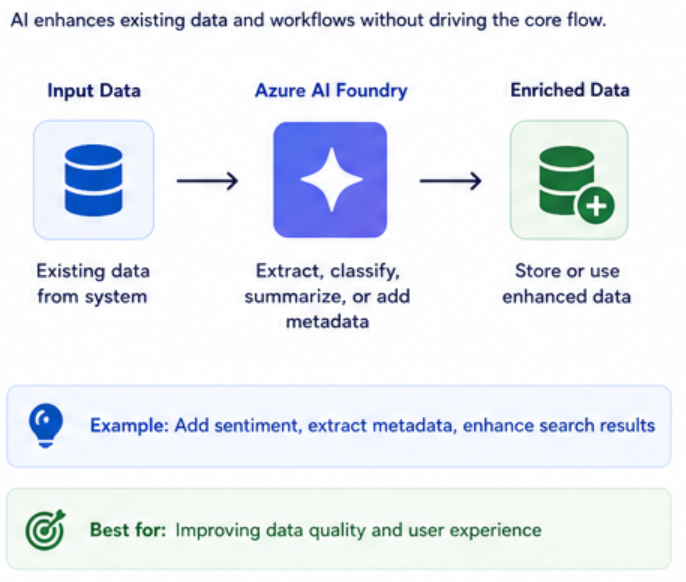
Pattern 5: AI as an Enrichment Layer
In this pattern, AI doesn’t drive the system. It enhances it.
Flow:
- System processes data normally
- AI enriches the data
- Enhanced data is stored or used
Example:
- Adding sentiment to messages
- Extracting metadata from documents
- Enhancing search results
This is one of the safest ways to introduce AI.
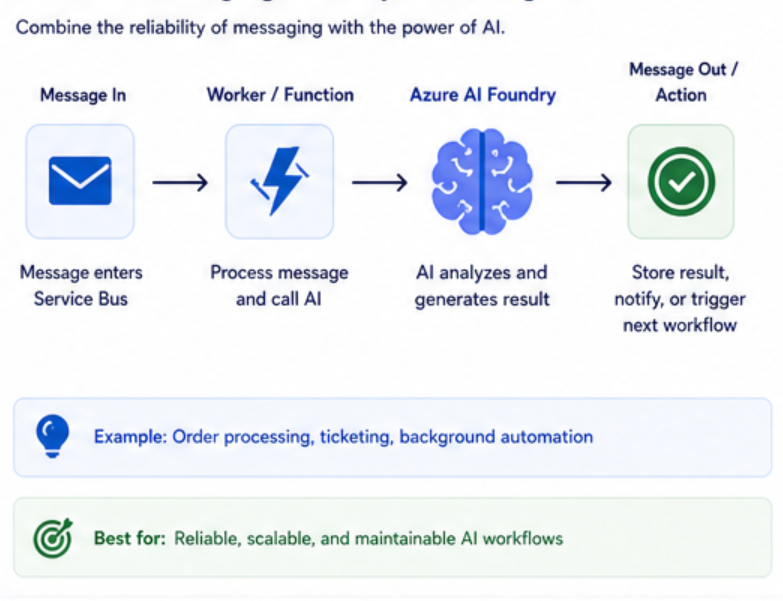
Pattern 6: AI + Messaging (Decoupled Intelligence)
This is where things get interesting.
Flow:
- Message enters queue
- Worker processes message
- AI is called as part of the workflow
This combines:
- Reliability of messaging
- Intelligence of AI
Example:
- Order processing
- Ticketing systems
- Background automation
This is one of my go-to patterns.
Choosing the Right Pattern
There’s no single best pattern.
It depends on:
- Latency requirements
- Cost constraints
- System complexity
- User experience
Quick guide:
- Need real-time response → API → AI → Response
- Need automation → Event → AI → Action
- Need insights → Batch → AI → Insights
- Need scale → Stream → AI → Analytics
Common Mistakes
1. Forcing AI Everywhere
Not every workflow needs AI.
Use it where it adds value.
2. Ignoring Cost
AI calls can scale quickly.
Always monitor usage.
3. Overcomplicating the System
Start simple.
Add patterns only when needed.
4. Not Thinking About Latency
AI adds delay.
Don’t put it in critical paths unless necessary.
Key Takeaways
- AI systems follow repeatable patterns
- Choose patterns based on the problem
- Combine messaging and AI for best results
- Keep things simple at the start
Final Thoughts
Once you understand these patterns, designing AI systems becomes less about guessing and more about applying the right approach.
You don’t need to reinvent the architecture every time.
You just need to pick the right pattern.