
Using Azure Functions for AI Workflows (When It Works and When It Doesn’t)
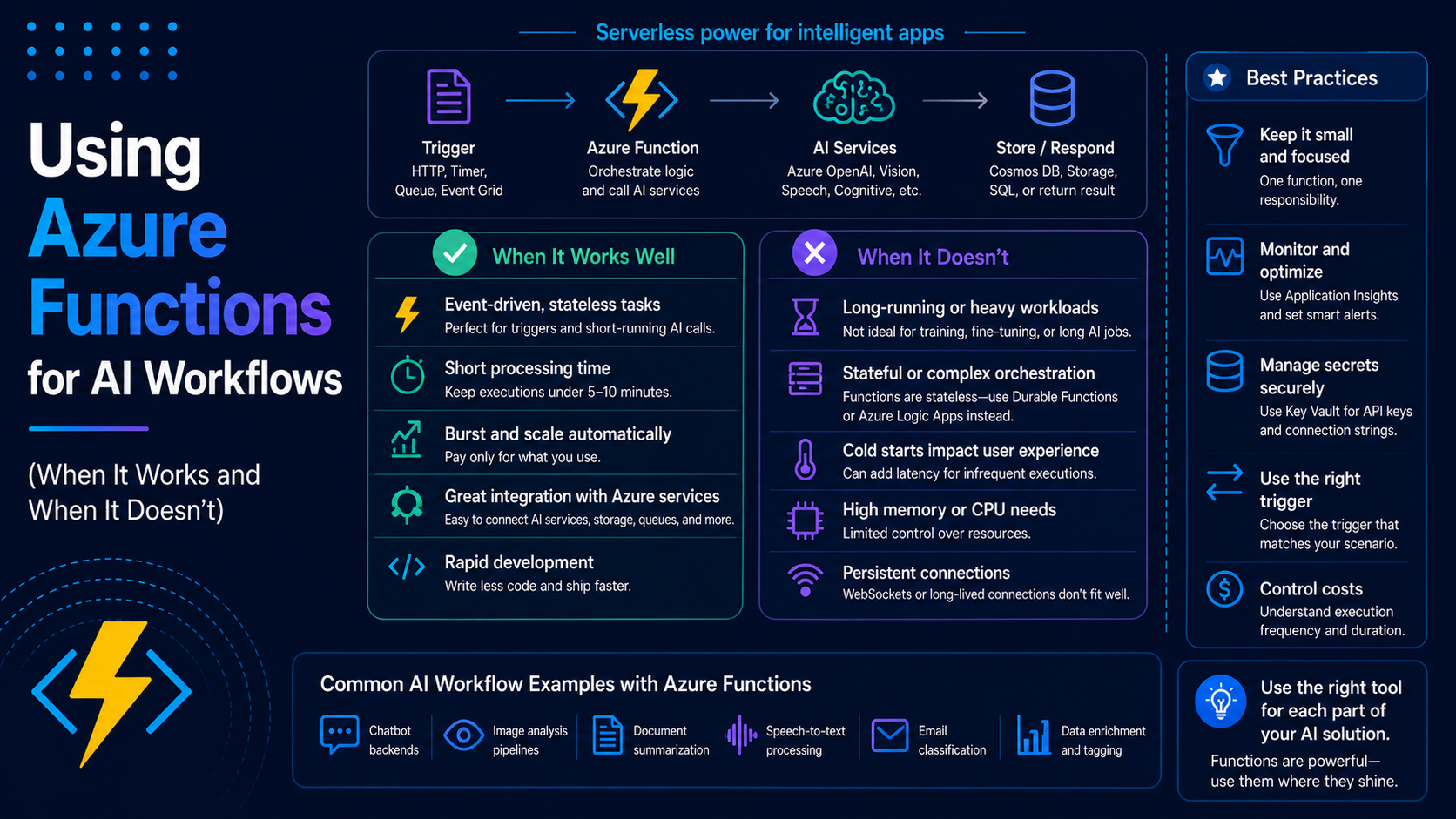
Azure Functions is usually the first thing people reach for when building event-driven systems in Azure.
And for good reason.
It’s serverless, easy to set up, and integrates really well with messaging services like Service Bus and Event Grid.
But when you start introducing AI into the mix, things get a bit more nuanced.
In this blog, I’ll walk through when Azure Functions works really well for AI workflows, and when you might want to consider other options.
Why Azure Functions Is a Great Starting Point
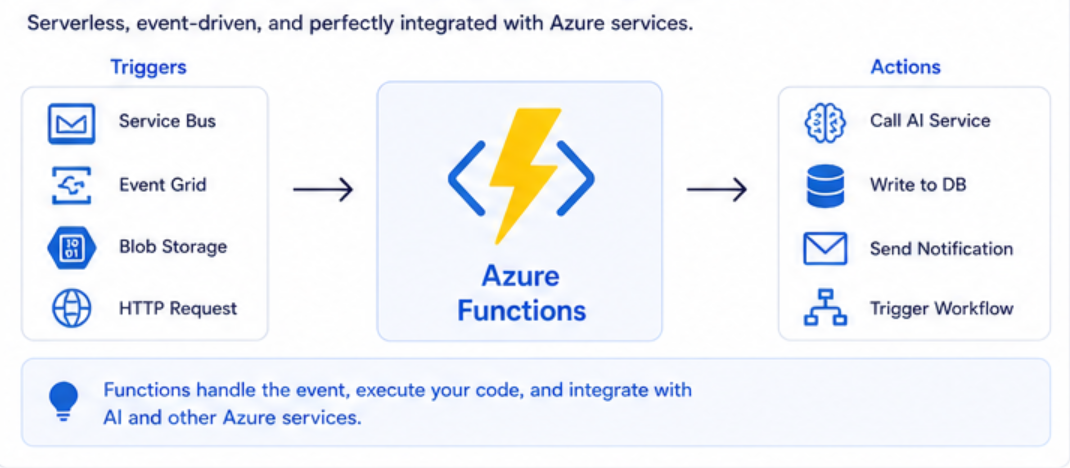
Azure Functions fits naturally into event-driven architectures.
It allows you to:
- Trigger on events
- Process data
- Call external services (like AI)
- Scale automatically
This makes it a great candidate for AI workflows.
When It Works Really Well
Let’s start with where Azure Functions shines.
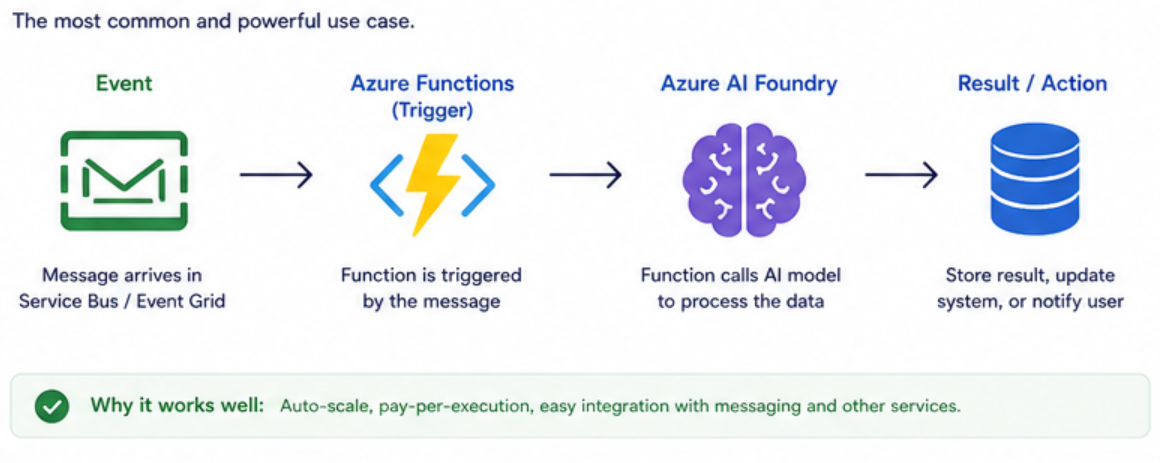
1. Event-Driven AI Processing
This is the most common use case.
Flow:
- Message comes in (Service Bus, Event Grid)
- Function processes it
- Calls Azure AI Foundry
- Returns or stores result
This pattern works really well because:
- Functions scale automatically
- You only pay for execution
- It integrates easily with messaging
2. Short-Lived AI Tasks
If your AI processing is:
- Quick
- Lightweight
- Stateless
Then Functions is perfect.
Examples:
- Classifying text
- Extracting data
- Generating short responses
These tasks fit well within function execution limits.
3. Background Processing
Functions are great when:
- The user doesn’t need an immediate response
- Work can happen asynchronously
Examples:
- Processing support tickets
- Document enrichment
- Notification systems
When It Starts to Struggle
Now let’s talk about the limitations.
This is where most people run into issues.
1. Long-Running AI Tasks
AI processing can take time.
If your workflow involves:
- Large documents
- Complex prompts
- Multiple AI calls
You might hit execution time limits.
Even with Durable Functions, this can get messy.
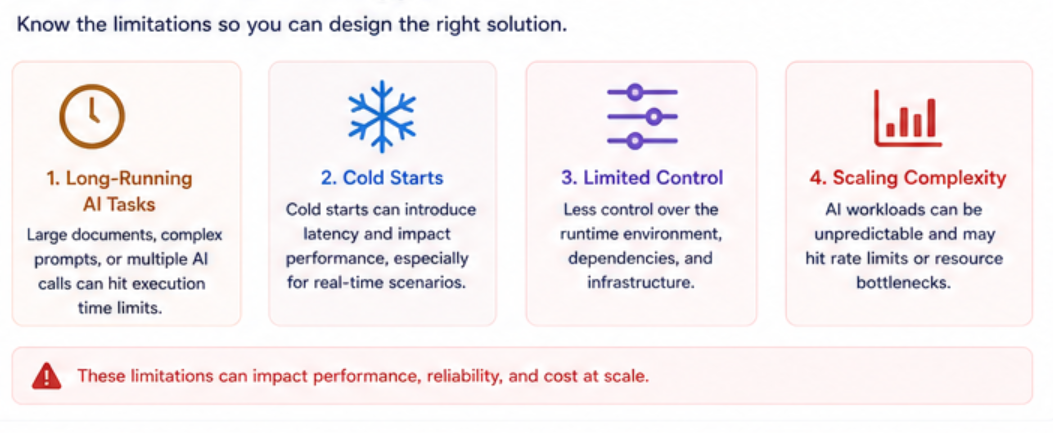
2. Cold Starts
Functions can have cold starts, especially on the Consumption plan.
For AI workflows, this can mean:
- Slower response times
- Inconsistent performance
This becomes noticeable in user-facing scenarios.
3. Limited Control
Functions abstract a lot of infrastructure.
That’s great for simplicity, but limiting when you need:
- Fine-tuned performance
- Custom environments
- Specialized dependencies
AI workloads sometimes need more control than Functions provides.
4. Scaling Complexity
While Functions scales automatically, AI workloads can behave differently.
You may run into:
- API rate limits
- Resource bottlenecks
- Uneven scaling
At scale, this becomes harder to manage.
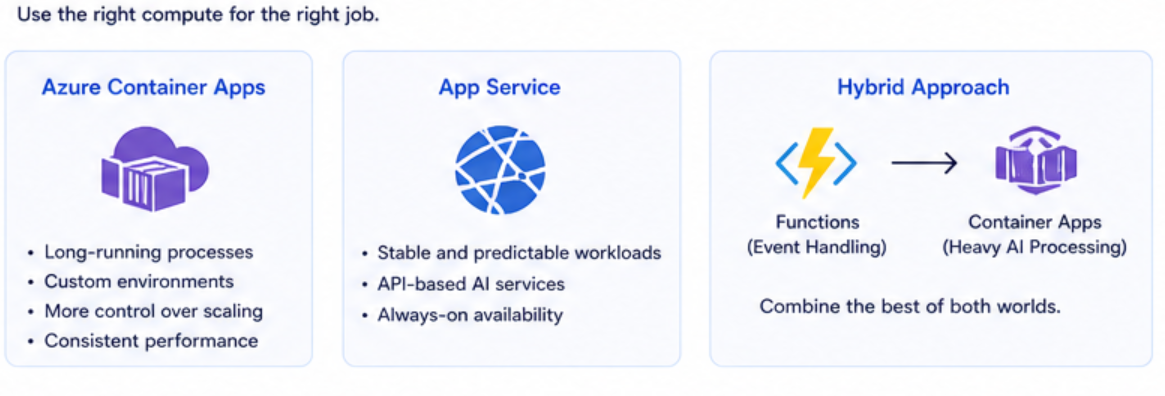
When to Consider Alternatives
If you start hitting these limitations, consider:
Azure Container Apps
Better for:
- Long-running processes
- Custom environments
- More control over scaling
App Service
Better for:
- Stable, predictable workloads
- API-based AI services
Hybrid Approach
Sometimes the best solution is combining services:
- Functions → event handling
- Container Apps → heavy AI processing
A Simple Decision Guide
Here’s how I usually decide:
Use Azure Functions if:
- The workflow is event-driven
- Tasks are short-lived
- You want simplicity
Consider alternatives if:
- Tasks are long-running
- You need more control
- Performance consistency is critical
Real Example
Let’s take a support system.
Using Azure Functions
- Ticket submitted
- Message sent to Service Bus
- Function processes it
- AI classifies ticket
- Result stored
This works perfectly.
When It Breaks Down
If you add:
- Large document analysis
- Multiple AI steps
- Complex workflows
Then Functions may struggle.
That’s when I start looking at Container Apps.
Key Takeaways
- Azure Functions is a great starting point for AI workflows
- Works best for event-driven, short-lived tasks
- Has limitations with long-running or complex AI workloads
- Don’t be afraid to mix services
Final Thoughts
Azure Functions is one of the best tools for getting started with AI workflows.
But like any tool, it has its limits.
The goal is not to force everything into Functions.
The goal is to understand when it works, and when to move beyond it.