
When to Use Azure Container Apps for AI Workloads (Instead of Functions)
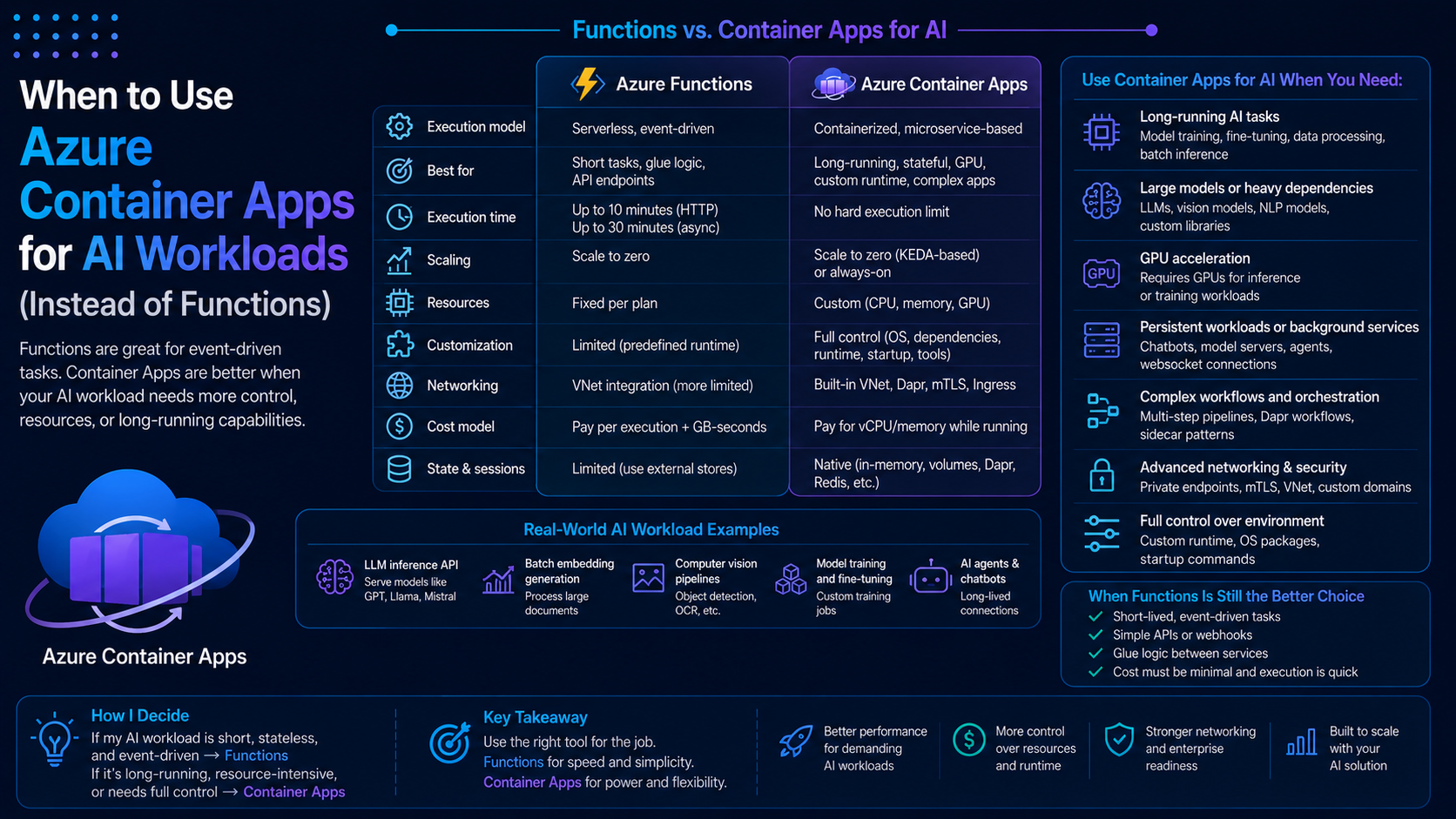
In the previous blog, I talked about using Azure Functions for AI workflows, and where it starts to struggle.
So naturally, the next question is:
“What should I use instead?”
One of the best options in Azure right now is Azure Container Apps.
It gives you more flexibility, more control, and better support for workloads that don’t fit well into a serverless function.
In this blog, I’ll walk through when Azure Container Apps makes more sense for AI workloads, and how I usually think about it.
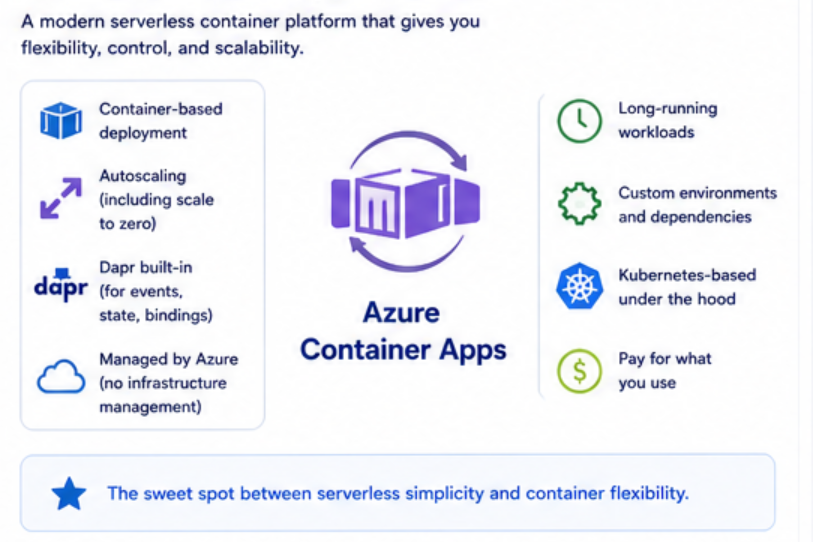
What Azure Container Apps Brings to the Table
Azure Container Apps sits somewhere between:
- Fully managed serverless (like Functions)
- Full control (like Kubernetes)
You get:
- Container-based deployment
- Autoscaling (including scale to zero)
- More control over runtime
- Support for long-running workloads
It’s basically a sweet spot for modern applications.
Where Azure Functions Starts to Break Down
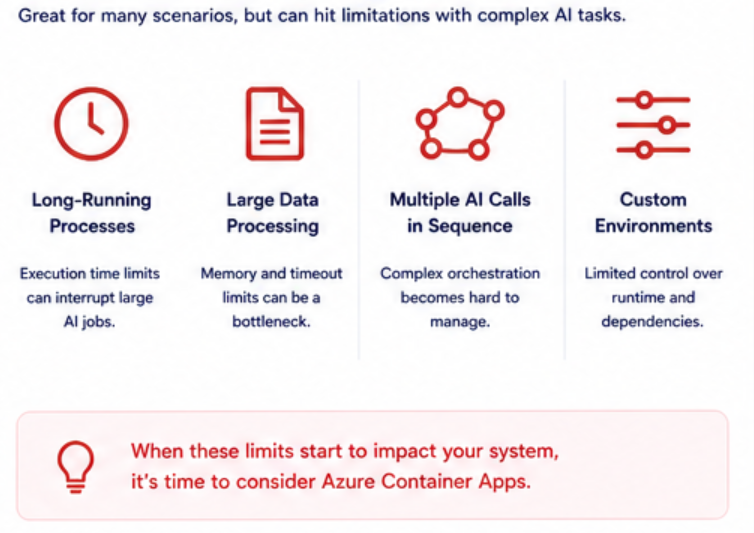
Before jumping into Container Apps, let’s recap where Functions struggles with AI:
- Long-running processes
- Large data processing
- Multiple AI calls in sequence
- Need for custom environments
This is where Container Apps starts to shine.
When to Use Azure Container Apps
1. Long-Running AI Workloads
If your AI process takes time, Container Apps is a better fit.
Examples:
- Processing large documents
- Running multiple AI steps
- Complex workflows
Unlike Functions, you don’t have strict execution limits.
2. Custom Environments
Sometimes AI workloads need:
- Specific libraries
- Custom dependencies
- Specialized runtimes
With Container Apps, you control the container.
That means:
- You define the environment
- You control dependencies
- You avoid platform limitations
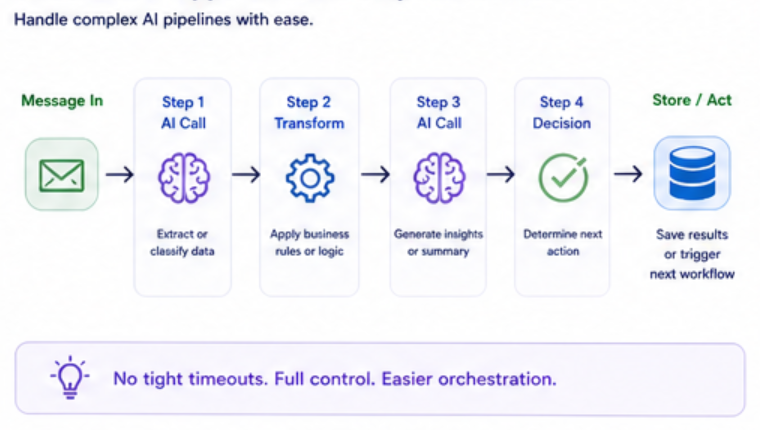
3. Multiple AI Steps (Orchestration)
If your workflow looks like:
- Step 1 → AI call
- Step 2 → transform
- Step 3 → another AI call
- Step 4 → decision
Functions can do this, but it gets messy.
Container Apps handles this more naturally.
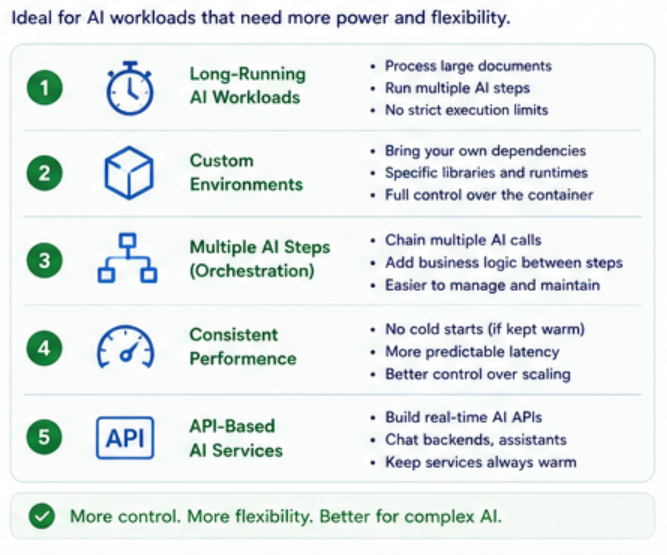
4. Consistent Performance
Functions can have:
- Cold starts
- Execution variability
Container Apps gives you:
- More predictable performance
- Better control over scaling
This matters for:
- User-facing AI apps
- APIs that require consistency
5. API-Based AI Services
If you’re building something like:
- AI-powered APIs
- Chat backends
- Real-time AI services
Container Apps is often a better choice.
Why?
Because:
- It behaves like a normal backend service
- You can keep it always warm
- You avoid cold starts
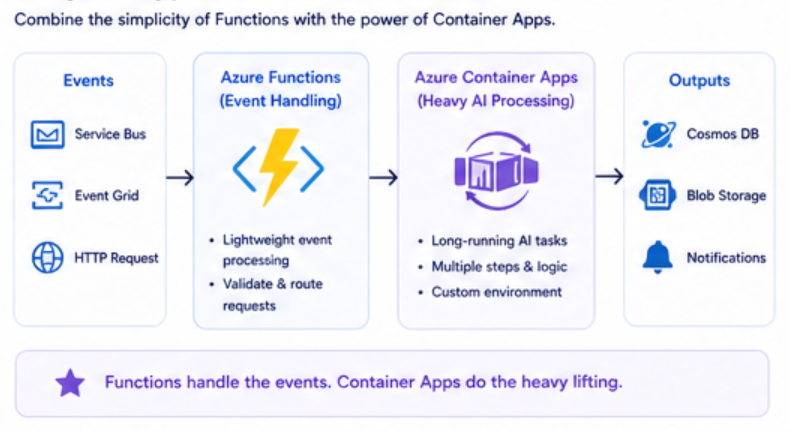
Hybrid Approach (Best of Both Worlds)
In many real systems, I don’t choose one or the other.
I combine them.
Example:
- Azure Functions → handles events
- Container Apps → handles heavy AI processing
Flow:
- Event comes in
- Function triggers
- Function calls Container App
- Container App runs AI workload
This gives you:
- Simplicity + Power
Quick Comparison
Use Azure Functions if:
- Event-driven workflow
- Short-lived tasks
- Simplicity is key
Use Container Apps if:
- Long-running AI tasks
- Custom environments needed
- Performance consistency matters
Real Example
Let’s revisit the support system.
Using Functions
- Ticket submitted
- Function processes it
- AI classifies
Works well for simple cases.
Using Container Apps
- Ticket submitted
- Container App:
- Reads message
- Runs multiple AI steps
- Applies business logic
- Stores results
Better for complex scenarios.
Common Mistakes
1. Sticking to Functions Too Long
A lot of people try to force everything into Functions.
Don’t.
Know when to move.
2. Overengineering with Containers
Container Apps is powerful, but not always necessary.
Start simple, then evolve.
3. Ignoring Cost and Scaling
Containers give you control, but also responsibility.
You need to:
- Monitor usage
- Optimize scaling
- Manage resources
Key Takeaways
- Container Apps is great for AI workloads that don’t fit Functions
- Use it for long-running, complex, or custom scenarios
- Combine it with Functions for best results
- Don’t overcomplicate your architecture
Final Thoughts
Azure Container Apps fills an important gap.
It gives you the flexibility of containers without the complexity of Kubernetes.
And for AI workloads, that flexibility can make a huge difference.
The goal is not to replace Functions.
The goal is to use the right tool for the right job.